Cybersecurity is the practice of protecting computers, servers, mobile devices, networks, and data from digital attacks, theft, and damage. For a business, it is not just a technology issue. It covers the tools you use, the policies you set, and the everyday habits of the people who use your systems.
As businesses rely more on cloud apps, email, and remote work, the number of ways an attacker can get in keeps growing. This guide explains what cybersecurity means for a business, the most common threats, and the practical steps that make the biggest difference.
Why Cybersecurity Matters for Every Business
A single security incident can lock you out of your systems, expose customer data, interrupt operations for days, and damage the trust you have built with clients. Many businesses also face legal and contractual obligations to protect data, from healthcare privacy rules to defense contract requirements.
Small and mid-sized businesses are not too small to be targets. CISA notes that smaller businesses are especially vulnerable because they may not have as many resources to dedicate to cybersecurity. Attackers know this and often automate attacks to find the easiest targets, whatever their size.
Common Cybersecurity Threats
Phishing
In a phishing attack, a criminal poses as a legitimate person or organization and sends an email or message that tricks the recipient into sharing login credentials or financial information, or into opening a malicious attachment. Phishing messages can be hard to spot because they mimic the branding and language of real organizations, and AI tools now make them even more convincing, as we cover in AI-powered cyberthreats.
Malware and Ransomware
Malware is malicious software designed to damage or disrupt computer systems, including viruses, worms, trojans, and spyware. Ransomware is a form of malware that encrypts your files and demands payment to restore them, and many attackers now steal data before encrypting it. Malware typically spreads through email attachments, downloads, and compromised websites. For a real-world example, see what veterinary practices can learn from a recent ransomware attack.
Weak and Stolen Passwords
Reusing the same password across accounts, or choosing passwords that are easy to guess, makes it simple for attackers to break in. Passwords stolen in one breach are routinely tried against other services, so a single reused password can open many doors.
Unpatched Software
Software vendors regularly release updates that fix security flaws. Systems that are not updated, or that run software no longer supported by the vendor, leave known vulnerabilities open for attackers to exploit.
Human Error
Many incidents start with an honest mistake: a misdirected email, a misconfigured sharing link, or a click on the wrong attachment. Good security makes these mistakes less likely and limits the damage when they happen.
A Simple Framework for Business Cybersecurity
 The NIST Cybersecurity Framework 2.0 is a widely used, voluntary guide for organizations of any size. It organizes cybersecurity into six functions: Govern (set strategy, roles, and policies), Identify (know your systems, data, and risks), Protect (put safeguards in place), Detect (spot attacks and problems quickly), Respond (contain and manage incidents), and Recover (restore systems and operations). Thinking in these terms helps a business see where its gaps are, instead of buying tools one at a time.
Essential Cybersecurity Practices for Businesses
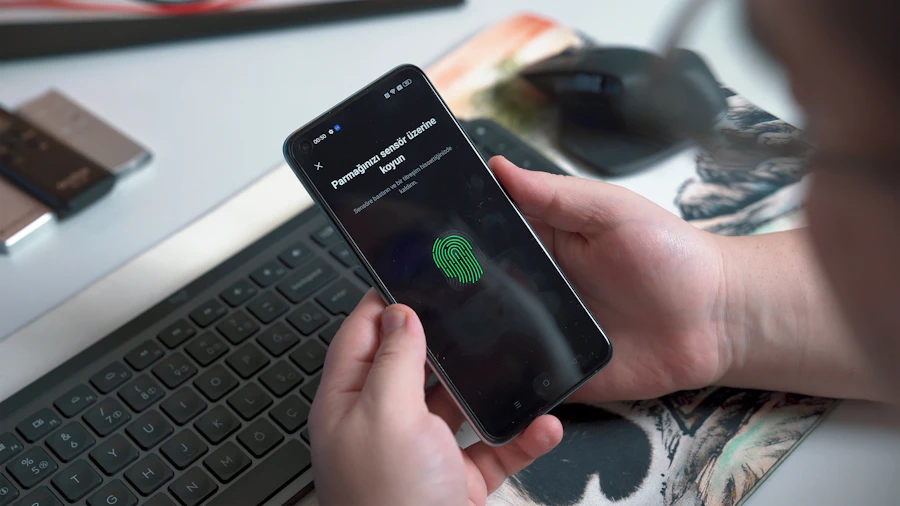 Require multi-factor authentication (MFA). MFA adds a second step, such as an app prompt or security key, on top of a password. Turn it on for email, cloud apps, remote access, and financial accounts first.
Use long, unique passwords and a password manager. Current NIST guidance favors long passphrases and screening against known compromised passwords over complex rules and forced changes. Change a password when there is evidence it has been compromised, not on a fixed calendar.
Keep software and devices updated. Turn on automatic updates where possible and replace systems that no longer receive security patches.
Back up critical data and test restores. Keep backups separate from your main systems so ransomware cannot reach them, and regularly confirm you can restore from them.
Protect and monitor every device. Modern endpoint protection, firewalls, and 24/7 monitoring help detect and stop threats before they spread.
Limit access. Give each person access only to the systems and data they need, and remove access promptly when roles change or employees leave.
Train your team. Regular, practical training helps employees recognize phishing, report suspicious activity, and handle data safely.
Plan your response. A written incident response plan makes clear who to call and what to do first, so a security event does not turn into confusion and extended downtime.
Cybersecurity and Compliance
Many industries have specific security requirements. Healthcare organizations must meet HIPAA rules, defense contractors face CMMC and NIST SP 800-171 requirements, businesses that take card payments must follow PCI DSS, and many financial service providers fall under the FTC Safeguards Rule. Cyber insurance carriers also increasingly require controls like MFA and tested backups before they will issue or renew a policy.
Frequently Asked Questions
What is cybersecurity in simple terms?
Cybersecurity is the practice of protecting computers, networks, devices, and data from digital attacks, theft, and damage. For a business, it combines technology, policies, and employee habits.
What is the most important cybersecurity step for a small business?
Turning on multi-factor authentication for email and every other account that supports it. It blocks most attacks that rely on stolen passwords, and it is free or low-cost on most platforms.
How often should employees change their passwords?
Only when there is evidence a password has been compromised. Current NIST guidance favors long, unique passwords stored in a password manager over forced periodic changes, which tend to produce weaker, predictable passwords.
Do small businesses really get targeted by cyberattacks?
Yes. Attackers often target small and mid-sized businesses because they tend to have fewer security resources than large enterprises, which makes basic protections like MFA, updates, and backups especially important.
How BlueKey IT Helps
Cybersecurity is a constantly evolving field, and staying ahead of new threats is hard to do alongside running a business. BlueKey IT provides cybersecurity and compliance services and managed IT support that put these protections in place and keep them working, from MFA and endpoint protection to monitoring, backups, and employee training. Contact us to find out where your business stands today.